
March 30, 2025
Question

How do I get a refund of the purchase of Turbo Tax Premier?

  • March 30, 2025
  • 1 reply
  • 0 views

I am done wasting time with TurboTax Premier this year.


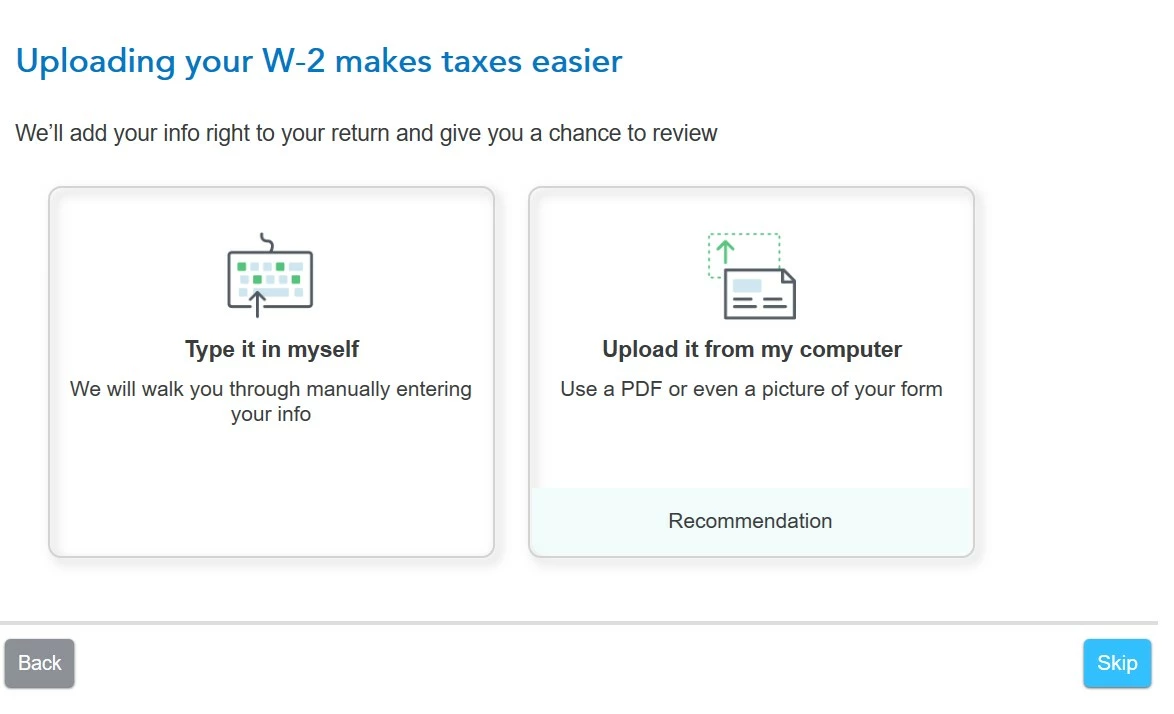
I was able to import in my W2, but did not have the same success with my wife's W2.  I kept getting the screen below with no option to import in the W2.
 

    1 reply

    VolvoGirl
    March 30, 2025

    It should be just as easy and fast to manually enter it.  Pick type it in myself.  

    How to contact Turbo Tax
    https://ttlc.intuit.com/community/using-turbotax/help/how-do-i-contact-turbotax/00/26991


    March 30, 2025

    Here's how you can request a refund and some steps to troubleshoot the W-2 import issue:

    Requesting a Refund for TurboTax Premier (2 ways)

    1. You can request a refund using the form at this link TurboTax refund request form
    2. Or Select your product to learn more about if you qualify for a refund.
      • TurboTax Desktop
      • TurboTax Online or Mobile
        • Instead of using the form below, you can also request a refund through your Intuit account.
        • Sign in to your Intuit account.
        • Select Products & billing.
        • Select your product and then select Payments.
        • Select the three dots beside your order to request a refund.

    Troubleshooting W-2 Import Issues

    If you're having trouble importing your wife's W-2, here are some common reasons and solutions:

    1. Employer's EIN Missing: Ensure the Employer Identification Number (EIN) is correctly entered.
    2. Control Number Missing: Check if the Control Number (Box D) is present.
    3. Box 1 Amount Missing: Verify the Box 1 amount; you can use the Year-to-Date (YTD) gross federal wages from the final pay stub if needed.
    4. Employer Not a TurboTax Partner: Some employers' payroll services may not be TurboTax Import Partners

    If these steps don't resolve the issue, you can manually enter the W-2 information on the screenshot you provided select - eType it in myself and follow the instructions to manually enter your W-2 info


    For more details, you can refer to the TurboTax W-2 import help page




