
January 21, 2024
Question

How do I resolve a Check This Entry error on 2023 - Wages Paid Schedule C?

  • January 21, 2024
  • 6 replies
  • 0 views

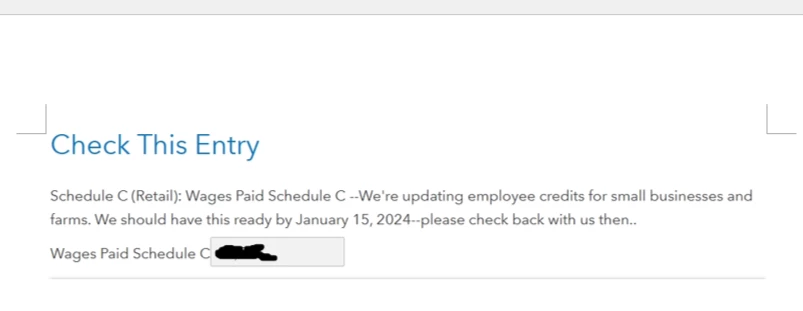
Schedule C Wages for Employees is showing an error to review the amount listed. I check it and it matches what's is listed and reported on my W-3. I do not have any credits for Work Opp Cr Fm 5884 or Other Work Credits. However, once I hit continue, it does not clear the error and I am unable to file. The form stated it was to be ready on January 15, 2024. 


6 replies

January 22, 2024

I am having the same issue when I re-created your entry. It appears the schedule C is not fully functional yet. The IRS is not accepting or processing returns until January 29, 2024. I suggest you try the entry again closer to that date.

**Say "Thanks" by clicking the thumb icon in a post**Mark the post that answers your question by clicking on "Mark as Best Answer"
nat27Author
January 23, 2024

Thank you for reply. I figured I will have no choice but to wait. I have processed returns that have already been accepted but they did not include any that had wages on their schedule C. 

February 6, 2024

I’m currently having the same issue. Did you ever get it resolved? 

PatriciaV
February 6, 2024

Please clarify the issue you are having with Schedule C. Are you seeing an error message or are unable to e-file your return?

@Leo_903 

**Say "Thanks" by clicking the thumb icon in a post**Mark the post that answers your question by clicking on "Mark as Best Answer"
February 6, 2024

Schedule C Wages for Employees is showing an error to review the amount listed. I check it and it matches what's is listed and reported on my W-3. So when I click continue it won’t let me e-file and sends me to check this entry again.

PatriciaV
February 6, 2024

TurboTax programmers are currently implementing some recent IRS changes for calculating employee credits for small businesses. This form relates to all businesses with employee wages. The estimated date of release is February 13, 2024. We recommend waiting until the day after, then updating TurboTax (if using Desktop), and run Review again. The hold on Schedule C should be resolved.


@Leo_903

**Say "Thanks" by clicking the thumb icon in a post**Mark the post that answers your question by clicking on "Mark as Best Answer"
February 13, 2024

Is this really going to get fixed today? It keeps pushing back the date. Now it's February 20th. Can we just put our payroll expenses under other expenses if we already e-filed W-2's so that we can actually file our taxes? This seems pretty unacceptable that it's taking this long to resolve this issue.  

PatriciaV
February 14, 2024

If you can wait for a few more days, you should be able to e-file on 2/22. Salaries and wages are expected to be reported on Line 26 of Schedule C. While you may report any expenses as "Other" on line 27a, this treatment is not technically correct.


The release dates for several forms were recently extended. The estimated date of release for forms affecting Schedule C e-file is February 21, 2024. We recommend waiting until the day after, then updating TurboTax (if using Desktop), and run Review again. The hold on Schedule C should be resolved.


@m3dlawncare

**Say "Thanks" by clicking the thumb icon in a post**Mark the post that answers your question by clicking on "Mark as Best Answer"
February 12, 2024

I am having the same issue. It keeps stopping for a review and say's "schedule c wages paid - we're updating employee credits for small businesses and farms. We should have this ready by 02/19/2024." but this date keeps changing and extending. Last time it said 2/13 and now it says 2/19. I called the IRS and they said the schedule c form is fine soooo what is the hold up @turbotax. 

February 18, 2024

I’m so frustrated, I have every part of my taxes done except for this verification for schedule c wages. Dates went from 2/12, 2/15, 2/21, and now it’s 2/25. Are they going to fix it? Should I just go use another program? 

February 29, 2024

It does finally work. I have been patient after another expert posted that the fix would be 2/28 so try on 2/29. It worked today, February 29, after not opening the software for a few days and then allowing the automatic updates. 

Phew!




