February 22, 2025
Solved

I am unable to get the WI Schedule CS form to generate through the application. So my first question is what do I have to enter to get the form to generate?

  • February 22, 2025
  • 1 reply
  • 0 views
I have no contribution in 2024 but I have carry over credits from the prior year I want to use.

    Best answer by AmyC

    Follow these steps:

    1. Go to WI review page
    2. Edit income, 
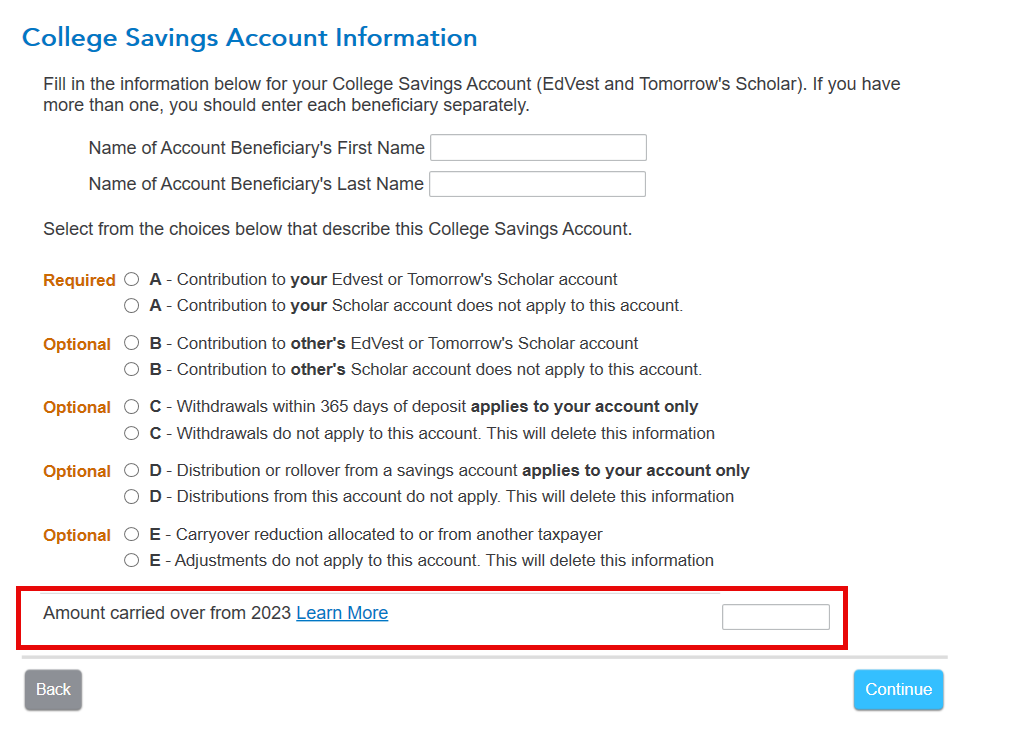
    3. select College Savings account, enter the information for the beneficiary.
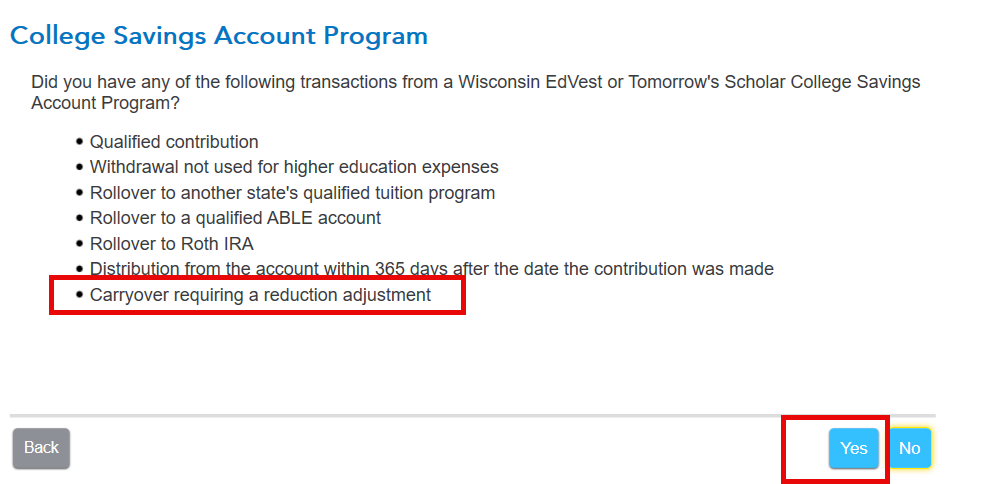
    4. Select yes to college savings account program which includes carryover
    5. The bottom of the screen asks for carryover from last year.


    1 reply

    AmyC
    AmyCAnswer
    February 22, 2025

    Follow these steps:

    1. Go to WI review page
    2. Edit income, 
    3. select College Savings account, enter the information for the beneficiary.
    4. Select yes to college savings account program which includes carryover
    5. The bottom of the screen asks for carryover from last year.


    **Say "Thanks" by clicking the thumb icon in a post**Mark the post that answers your question by clicking on "Mark as Best Answer"
    rmclemorAuthor
    February 24, 2025

    Thank you.  I was able to follow your instructions to trigger the CS form with the carry over amount.  However, I am a divorced parent and there is no question on the screen to fill in that check box on the form.  I am only allowed to take half the carry over amount which would be $2,500, not $5,000.  I updated the checkbox on the form itself, but that does not update the credit amount on the form and I am not allowed to change the credit amount myself.  Is there some other place I need to indicate I am a divorced parent on the beneficiary for the credit amount to be calculated correctly? 

    February 26, 2025

    You should make the entry in program on the screen shown above, not directly on the form.  @rmclemor