
February 20, 2023
Solved

"no section 199A income has been entered on Statement A"

  • February 20, 2023
  • 1 reply
  • 0 views

I am getting the error "no section 199A income has been entered on Statement A" after the 2022 K-1 form was released (Feb 16th, 2023), but I can clearly see the Statement A form filled out as part of the K-1.  I think this is a bug.
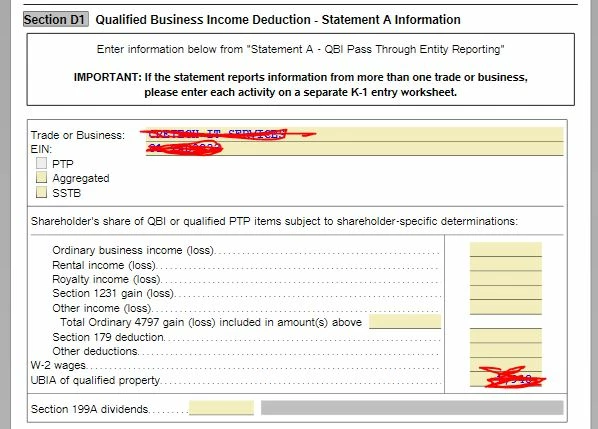


The thing it wants me to change is the Z selection of box 20 on my K-1.
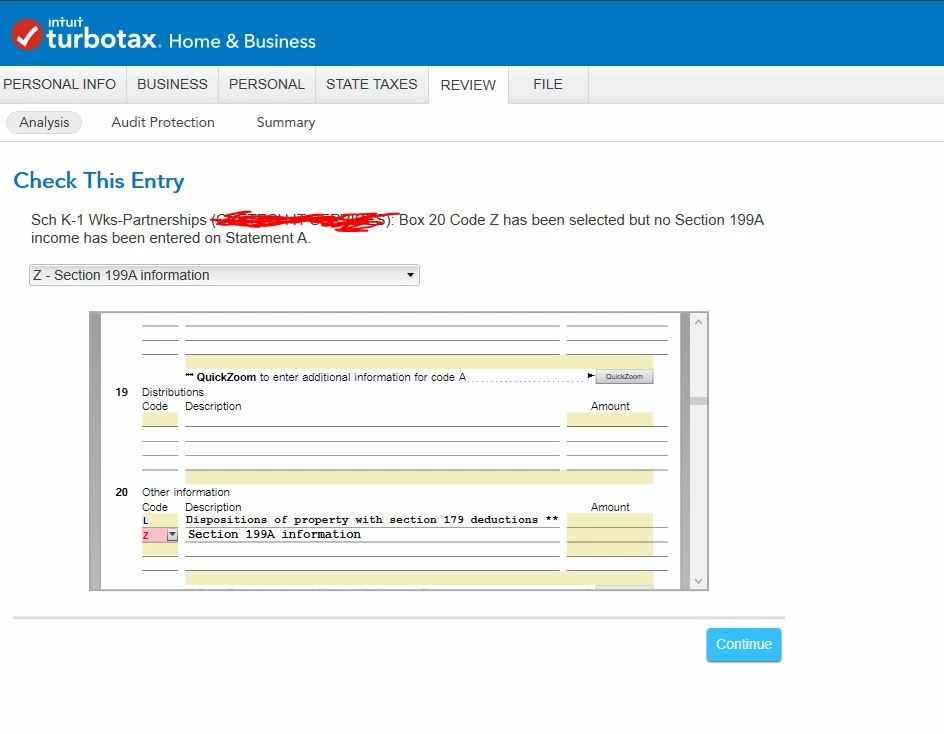


Any help is appreciated!

Best answer by AliciaP1

Your screenshot shows the error is because the Ordinary business income (loss) line, Rental income (loss) line, and the Royalty income (loss) lines are all blank.  You need to review your Statement A on your K-1 and you can enter the correct amount on the correct line in the review process where you are seeing the error.  When the error pulls the form up in the review, just enter the amount directly in the box on the form.


@David_B_K 

1 reply

February 20, 2023

See here, I got it all done on my end


Recheck your K-1 input. 

1- Make sure you checked off Box 20 in the input.

2- Make sure you entered Code Z correctly.


In the next two screens, there is some information they want you to fill out re; this K-1 199A. Make sure you didn't miss it.

And then again, here

Also make sure that when you go through all the input screens, you hit Done.


Lots of Luck!

**Say "Thanks" by clicking the thumb icon in a post**Mark the post that answers your question by clicking on "Mark as Best Answer"
David_B_KAuthor
February 20, 2023

Thank you, @AbrahamT !  I didn't have any issue there, the issue comes when it does the review (error check) before e-filing the taxes.  It won't go past the error, but there is no error that I can see.

AliciaP1
AliciaP1Answer
February 20, 2023

Your screenshot shows the error is because the Ordinary business income (loss) line, Rental income (loss) line, and the Royalty income (loss) lines are all blank.  You need to review your Statement A on your K-1 and you can enter the correct amount on the correct line in the review process where you are seeing the error.  When the error pulls the form up in the review, just enter the amount directly in the box on the form.


@David_B_K 

**Say "Thanks" by clicking the thumb icon in a post**Mark the post that answers your question by clicking on "Mark as Best Answer"




