
March 22, 2023
Question

rental property QBI deduction confusion on 2022 version

  • March 22, 2023
  • 1 reply
  • 0 views

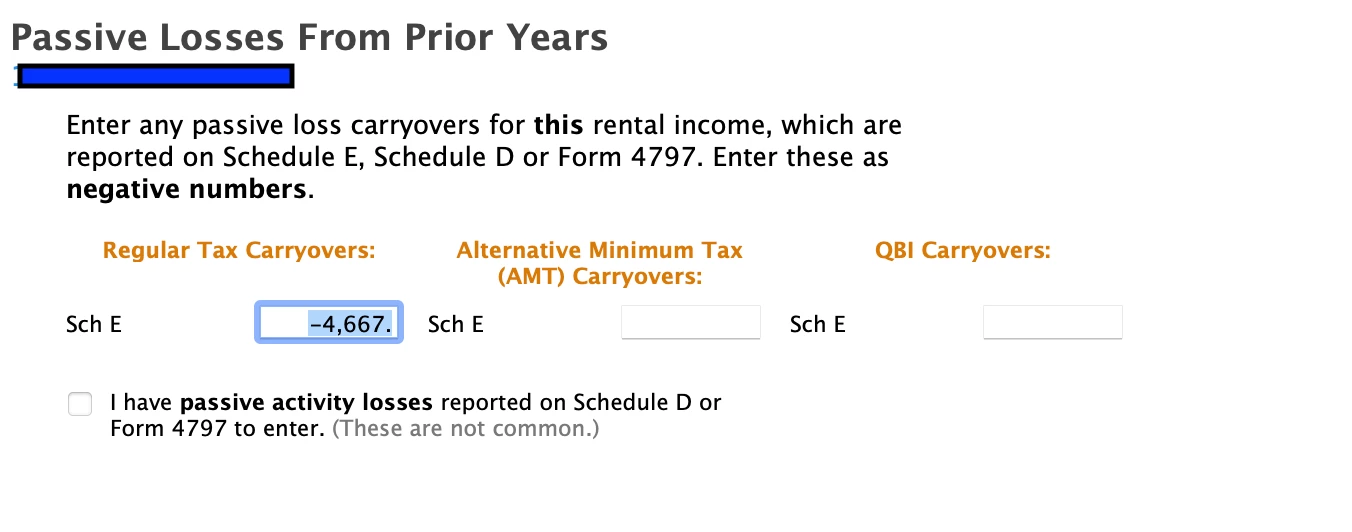
Please see from picture 1, that I've entered the previous year loss carryover for a rental property -$4667. the software asks me to input it as a negative number. 
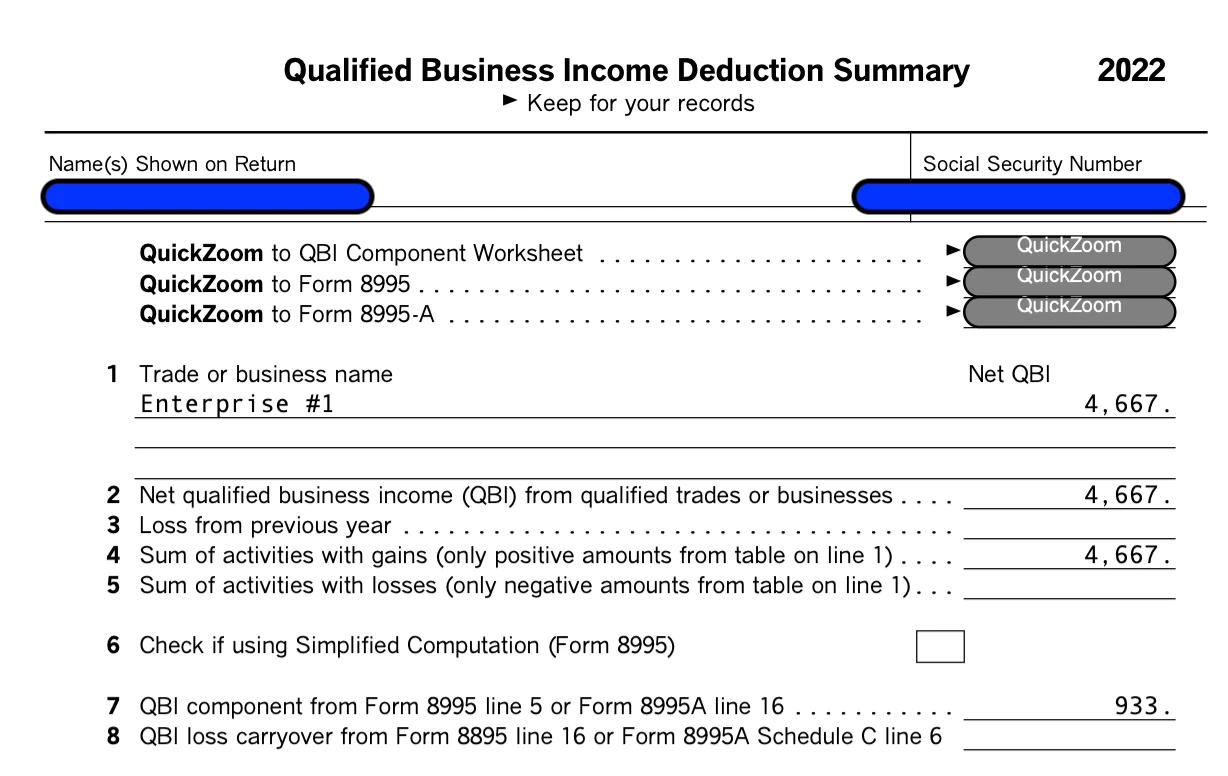
 Then on the QBI deduction summary (picture 2) , it counts the $4667 as the gain of this year . why does the loss of previous year becomes the gain of this year in QBI ?  What's the reason behind it ? 


    1 reply

    AliciaP1
    March 22, 2023

    It's likely the $4,667 is your net income from your rental for 2022 and you answered the questions after the entry of your rental activities that it qualified as QBI.  The first screenshot is showing where you applied your passive activity losses from prior years and should reflect the whole amount carried over, not just the amount to apply to this year.  Also, ensure you don't have any QBI carryovers to enter in the last column on the right of your first screenshot.


    If your rental does not qualify for QBI, you can re-visit the questions by following these steps in TurboTax Desktop:

    1. Within your tax return, under Federal Taxes and Wages & Income click I'll choose what I work on
    2. Scroll down to Rental Properties and Royalties and click Update
    3. On the Rental and Royalty Summary screen click Edit for the property that is reporting QBI
    4. Verify your entries and Continue until you get to the Let's see if you're eligible for the QBI safe harbor screen
    5. Verify your entries and if you do qualify then you are eligible for the QBI deduction even if you have offset your passive activity income with carryover losses
    **Say "Thanks" by clicking the thumb icon in a post**Mark the post that answers your question by clicking on "Mark as Best Answer"




