February 25, 2024
Solved

Schedule K-1 when Box 20 has no value but there is Section 199A to report

  • February 25, 2024
  • 2 replies
  • 0 views

I've tried several ways to remove the error message from my return since my K-1 has a z code in box 20 but no value and then has Section 199A Business amount. What I want to know if it is okay to not have Code Z listed on the K-1 for BOX 20 since it has no number associated with it on my k-1 AND then on Section D1 for QBI I do have a value for UBIA of qualified property.


It seems that TT won't let me keep the Z code with no value on the Schedule K-1.


Please advise. Thanks

Best answer by PatriciaV

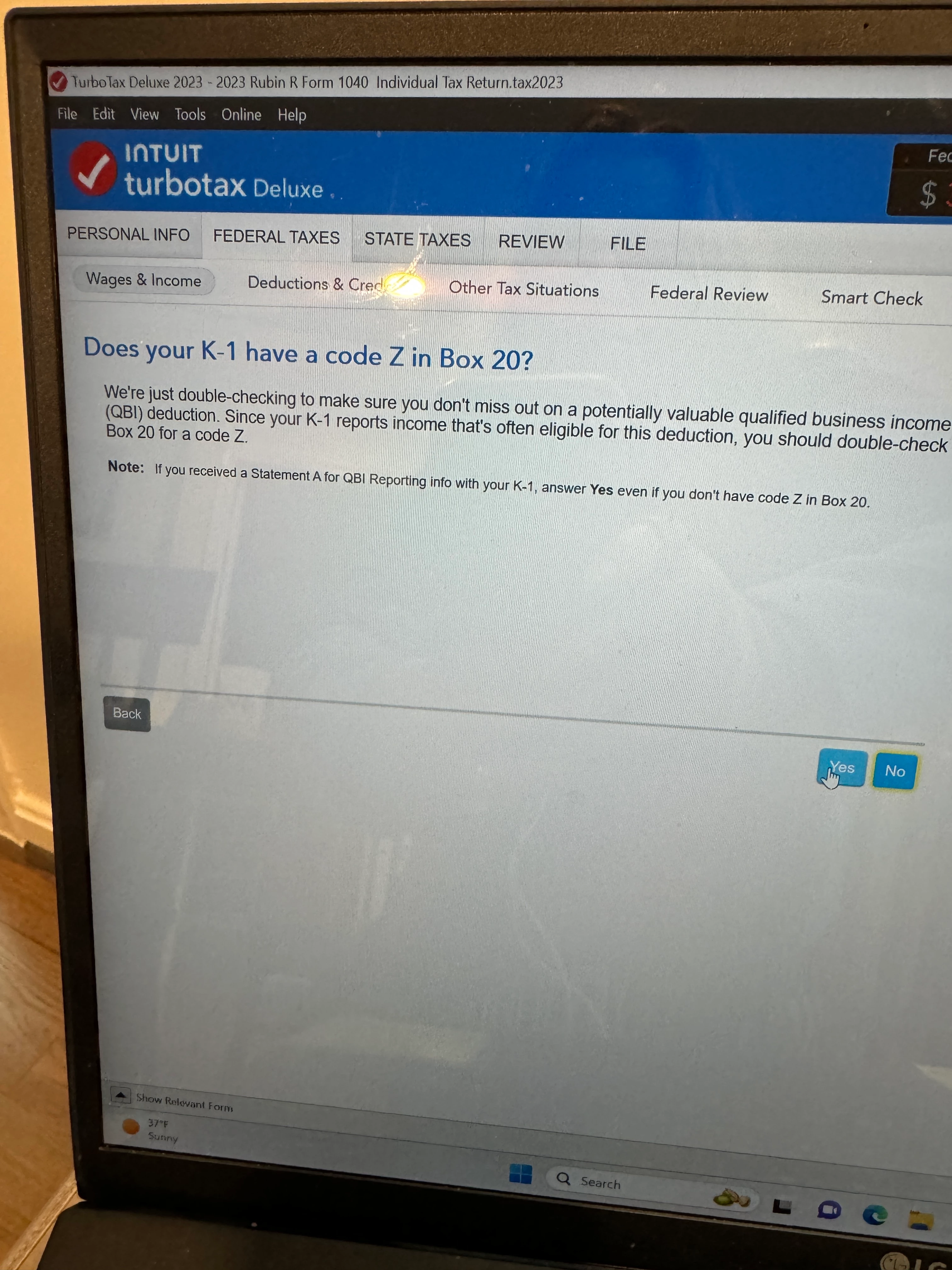
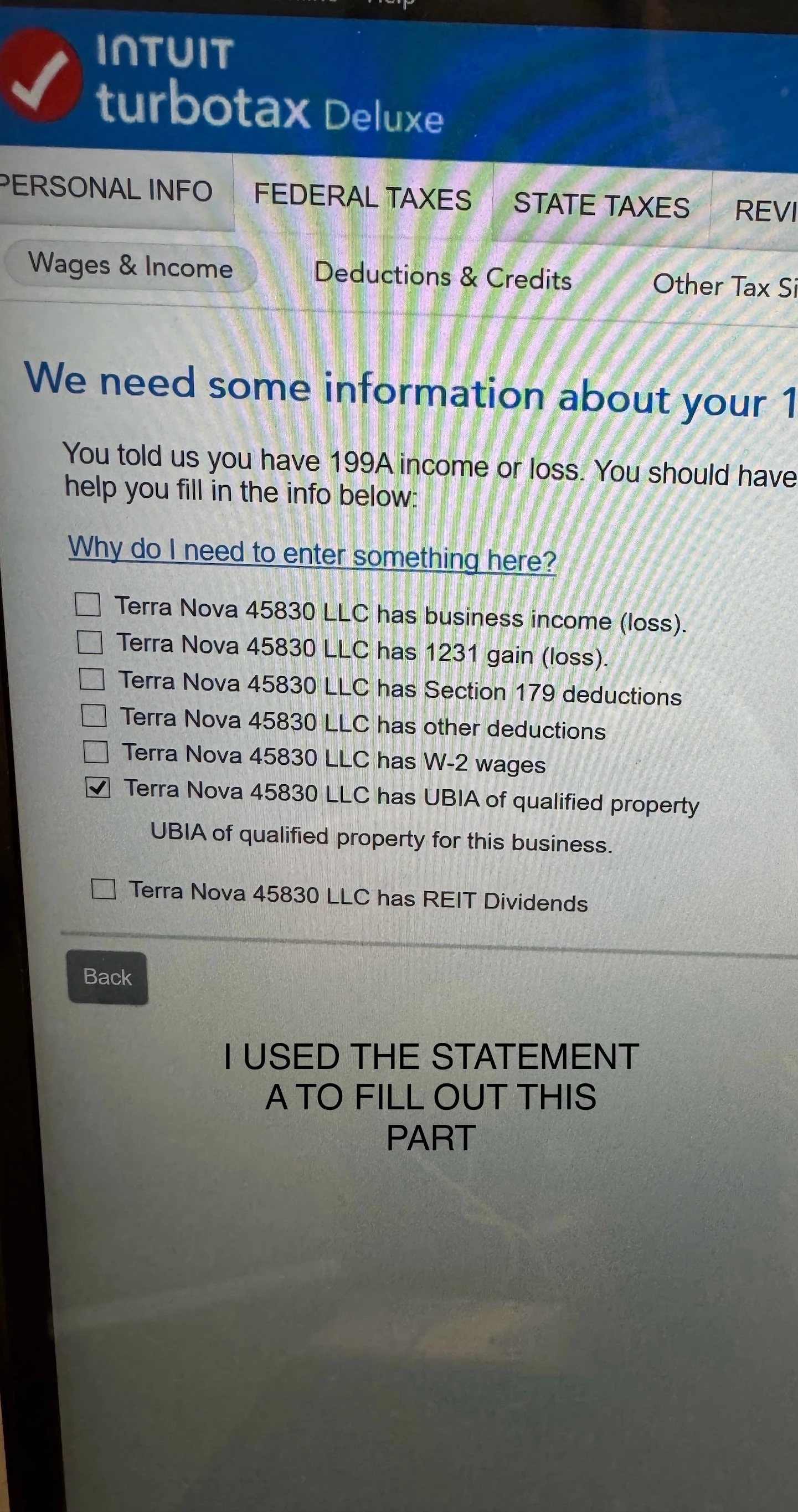
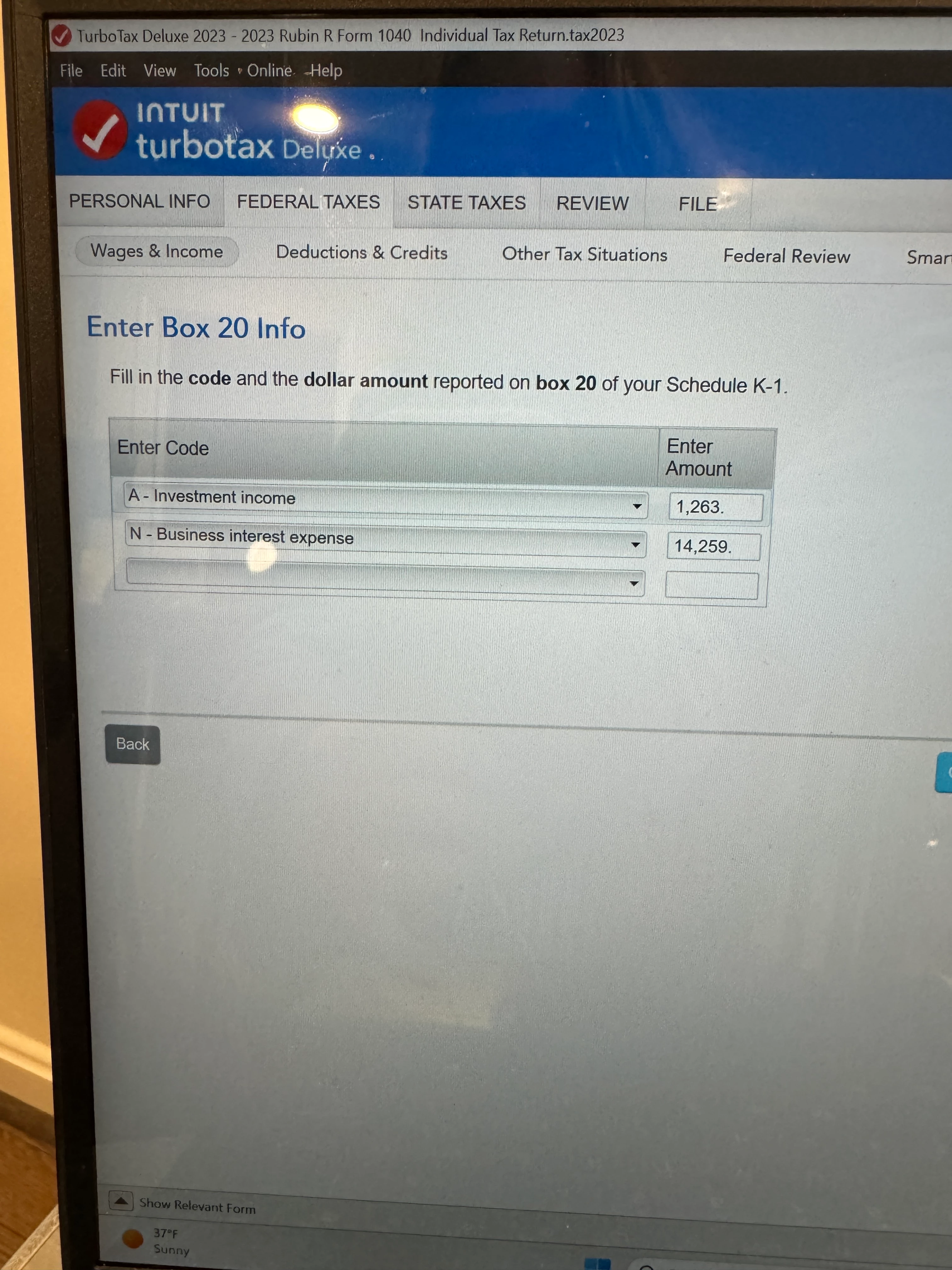
Thanks for responding. I am going to attach 3 screens that I filled out. While the K-1 I have has a Z in box 20, there is no value. However, I do have a Statement A that came with the K-1 so I can fill in the answers for the subsequent screens. If I put the Z with no information on the screen  that says “Enter Box 20 Info” then TT shows an error later on in review because there is  nothing to put into that screen.  


When I look at my 2022 return, the form allows me to have a Z with no value and the Statement A (UBIA of qualified property) is filled out, just like this year. 


My question is will it be okay for the form k-1 in our return; for that line to have no Z printed on it even though the K-1 from the partnership has a Z. It seems there is a TT bug for 2023 that I can’t work around to show the Z on Line 20 of FORM K-1 in our personal tax return.  Please know that UBIA information is provided, I didn’t include that amount on the screen shot.


When I leave that line blank in the first screen shot, no errors. If I put a Z, error. 

Please advise


If you are able to enter the Section 199A information from Statement A without using Code Z in Box 20, then this is your best option.


However, if the review message continues to appear, please post a screenshot of the actual message. This helps us locate the issue in the program.

2 replies

February 25, 2024

You may see a code Z in box 20 of the K-1 and the detail for the QBI income, UBIA and other components of the 199A computation are reported on a separate schedule.


The entity should provide section 199A information to compute the qualifying business income deduction.


2023 Shareholder’s Instructions for Schedule K-1 Form 1065 page 29 states:


The partnership will provide the information you need to figure your deduction.


If the 199A information is not entered, you will not qualify for a QBI deduction.

**Say "Thanks" by clicking the thumb icon in a post**Mark the post that answers your question by clicking on "Mark as Best Answer"
February 25, 2024

Thanks-

mu question though was I have all that information just that TT doesn’t want line 20 to include code z with an empty value on the form. I also entered the 199a information.


just anted to know if IRS will be okay with the sch k showing nothing about z in box 20 but the info is in the section 199A.


TT is forcing me to do this. In 2022 I showed z with no $$ amount and it was fine. Just making sure that’s okay for 2023


thanks 

February 25, 2024

tehr may be a supplement to give you the 199A info you need. look on the back of the k-1 and any additional paperwork that was included.


 then again certain activities may not qualify for QBI. so what does the partnership do? 


February 28, 2024

Since TT does not allow me to have a z with no value on the form, I need to omit on the form to avoid a TT error. I do have the section 199a information and can enter it on the form in the appropriate place for it.


my concern is just that I am not making an entry on the form for the z that is in box 20 since TT is not allowing it. 

maybe TT will fix this in an update prior to my filing in the meantime I just was seeing if I could find out  it there is another workaround with TT for this

PatriciaV
February 28, 2024

We are unable to reproduce the experience you have reported. Please post the actual error message you see and where in the program the message appears.


Note that you will be unable to e-file your return if the error persists.

**Say "Thanks" by clicking the thumb icon in a post**Mark the post that answers your question by clicking on "Mark as Best Answer"